Pages

Subscribe:

Ads 468x60px

Thursday, July 21, 2011

[Update]Transformation Pack: Windows 7 to Mac OS X LION using LION Skin Pack 6.1

As we know Apple has recently released its most updated OS named MAC OS X LION is finally available to download in $29.99 at their official website for all those who are having MAC machine.Steve Jobs(CEO) said that it has more than 250 new features.Well,this post includes the updated transformation pack for changing windows 7 to Mac OS X Lion skin pack 6.1. And the good thing is it works with windows 7 sp1 both 32 and 64 bit OS and for all languages.
New Updates :
1-Update theme
2-Update icons
3-Update login
4-Add MySapce
5-New Toolbar
6-New Installer

NOTE: Do create a system restore point so that you can revert back your pc to original state.Download file size:46.1MB

[Update]Transformation Pack: Windows 7 into Windows 8 using Windows 8 UX Pack 3.0

This is the new updated version of transformation pack for turning your old windows 7 machine into latest upcoming Microsoft Operating system windows 8.These are updates included in this pack
new theme
new wallpaper
new brand
new logo
new start button
new shell style
new boot screen
new installer
add mosaic

NOTE:Do create a system restore point so that you can revert back your pc to original state.Download file size:21.7MB 

32 bit version
64 bit version


WinRAR 4.01 Pro 


WinRAR is a powerful archive manager. It can backup your data and reduce the size of email attachments, decompress RAR, ZIP and other files downloaded from Internet and create new archives in RAR and ZIP file format.
Just download it and install it! No activation Needed!

INSTALLATION:
Install Info.

1. Uninstall any previous version of WinRAR!
2.And Click install on this setup of WinRAR...

3.thats it you are done! 


Sunday, July 10, 2011

Fraps v3.4.3: A software to capture almost everything in Windows


Sometimes we want to capture some particular screen of our computers and some in case like when we are playing some game for example-


Fraps is a universal Windows application that can be used with games using DirectX or OpenGL graphic technology. In its current form Fraps performs many tasks and can best be described as:

Benchmarking Software - Show how many Frames Per Second (FPS) you are getting in a corner of your screen. Perform custom benchmarks and measure the frame rate between any two points. Save the statistics out to disk and use them for your own reviews and applications.

Screen Capture Software - Take a screenshot with the press of a key! There's no need to paste into a paint program every time you want a new shot. Your screen captures are automatically named and timestamped.

Realtime Video Capture Software - Have you ever wanted to record video while playing your favourite game? Come join the Machinima revolution! Throw away the VCR, forget about using a DV cam, game recording has never been this easy! Fraps can capture audio and video up to 2560x1600 with custom frame rates from 10 to 100 frames per second!

All movies are recorded in outstanding quality.

- Compatible with: Windows 2000, XP, 2003, Vista, Win7 (32/64-bit )
- Requires DirectX 9.0c or DirectX 10.
- Supports all modern CPU's (Pentium 3 and above)


Saturday, July 9, 2011

Transformation Pack: Windows 7 into Windows 8 using Windows 8 UX Pack 2.0


As we know Microsoft next operating system Windows 8 is much talked OS these days since Steve Ballmer(CEO) has announces that they are going to unveil it in this fashion.
  • April 2011: First internal beta builds of Windows 8
  • September 2011: Public Windows 8 Beta during Build
  • January 2012: Windows 8 Release Candidate
  • April 2012: Windows 8 RTM
  • July 2012+: Public Retail release of Windows 8
Anyways if you can't wait for till its release,windowsx has designed transformation pack of windows 7 into windows 8 using Windows 8 UX Pack 2.0(latest).This transformation pack has following features.

- Instantly dress up Windows 7 to upcoming Windows 8 in one minute
- Seemless installation and uninstallation giving user's confidence and security in system
- Easily configurable in single click with intelligence Metro UI design
- UxStyle memory patching
- Windows 8 Aero, Aero Lite or Metro theme
- Instant M3 and Metro wallpaper/logon screen customization
- UserTile with current user auto-configured on login
- Metro UI desktop emulation with pre-configured gadgets
- Aero's auto-colorization feature

You can run this program again to re-configure or uninstall. Tasks will be done instantly.


Saturday, May 7, 2011

Transformation Pack: Windows XP into Ubuntu 11.04 Natty Narwhal

Click to enlarge
Recently I posted  How to Transform  XP to Mac OS X LION 
For all those who are bored with old windows xp themes and who wants to use ubuntu in their Windows XP machines. Here is transformation pack to convert Windows XP into Ubuntu 11.04 Natty Narwhal(code name) .
It modifies icons , boot screen,login screen, wallpaper, theme, start button, etc.
It works on 
- Windows XP (Home, Pro, RTM, SP1, SP2, SP3, Corporate)
- Windows 2003 (Standard, Enterprise, Datacenter, Web, RTM, SP1, SP2)
- Windows Media Center Edition (2003, 2004, 2005)
- Windows XP Tablet PC Edition
- X86(32Bit) and X64(64Bit) Windows Support
- All Language Versions


Note:Do create a manual restore point as it will help you get back to windows XP easily and quickly.

Thursday, May 5, 2011

Transformation Pack: Windows 7 to Mac OS X LION


This transformation pack simply changes all your themes,icons and styles to from windows 7 to Mac OS X Lion.
It works on both 32 and 64 bit windows 7.
Note:Do create a manual restore point as it will help you get back to windows 7 easily and quickly.
Also,If any one wants to transfrom XP to Mac OS X Lion,


Transformation Pack: XP to Mac OS X LION


For all those who are bored with old windows xp themes and who wish that they could also have Apple latest operating system Mac OS X Lion. Here is transformation pack to convert Windows XP themes to Mac OS X Lion.
Note:Do create a manual restore point before doing any changes as it will help you if want to get back your windows XP themes and icons.


Monday, December 27, 2010

Windows7 installation guide

Windows 7 ULTIMATE x86 / x64 FULLY ACTIVATED!
32/64-bit | English and MULTILANGUAGE SUPPORT | DVD ISO | Bootable | Simple use!
No serial and no activation needed | Size: 3.47GB | Genuine version | FULLY UPDATABLE with Windows Update. | Instructions and Installation notes included


Installation is in English but you can change language afterwards to any of this list via Windows Multilingual User Interface (MUI)
* Arabic
* Brazilian Portuguese                                                                           
* Bulgarian
* Chinese Simplified
* Chinese Traditional - Hong Kong
* Croatian                                                                            
* Czech
* Danish
* Dutch
* English
* Estonian
* Finnish
* French
* German
* Greek
* Hebrew
* Hindi
* Hungarian
* Italian
* Japanese
* Korean
* Lithuanian
* Norwegian
* Polish
* Portuguese
* Romanian
* Russian
* Serbian Latin
* Slovak
* Slovenian
* Spanish
* Swedish
* Thai
* Turkish
* Ukrainian

How to change language?
http://windows7center.com/tutorials/how-to-download-and-install-windows-7-beta-language-packs-mui-packs/
INSTRUCTIONS
Install:
- Download and extract using WinRAR.
- Use Nero or other burning app to burn the ISO image
- Burning speed should not be faster than 4x. Otherwise, it might not work.
- Restart your computer.
- Make sure you have selected your DVD-ROM/RW drive as a first boot device.

* Enter the BIOS pressing the DEL button, set the option, insert your Windows 7 installation and restart computer.
- The black screen will appear (image 01).
- Press any key to boot from CD or DVD.... (by pressing the key you are entering the setup)
- Select your language, time and currency and keyboard input (optionaly)
- Click install now
- Choose your edition (x86 is 32-bit, x64 is 64-bit) depending of CPU type you have.

*Choose x64 if you have 64-bit processor.
- Click "I accept".
- Click "Custom" (advanced).
- Choose your partition/hdd drive where Win7 should be installed and click format.

*You might get some error if you have two or more hard disks with different connectors (ATA and SATA).
If you get an error, turn off one of your hard disks and repeat the whole proces.
- After formatting, setup will continue automaticly and it will finish after 15-30 min.
- Next step would be username
- Type your password (if you want).
- When you get the screen for CD-KEY just ignore it leaving blank.

*Uncheck the box for automaticly activation and click next.
- Choose the third option for next step.
- Select your time zone.
- Select your current location (Home is recommended).
- The black CMD windows will appear. Wait a few seconds until computers restares once again.
- And that would be all about installation. You are in Windows now.


Activation Tools :

* Windows Loader is the loader application thats used by millions of people worldwide, well known for passing Microsoft's WAT (Windows Activation Technologies) and is arguably the safest Windows activation exploit ever created. The application itself injects a SLIC (Software Licensing Description Table) into your system before Windows boots, this is what fools Windows into thinking it's genuine.
The easy and safe way to activate Windows.

Friday, December 10, 2010

Basically, it's the seventh version of Windows. Count along with me:


    1.0:           Windows 1.0
    2.0:           Windows 2.0
    3.0:           Windows 3.0
    3.1:           Windows NT
    4.0:           Windows 95, 98, 98SE-second edition, ME-millenium edition
    5.0:           Windows 2000
    5.1:           Windows XP(Whistler)
    6.0:           Windows Vista(Longhorn)
    7.0:           Windows 7(Initially blackcomb,later vienna)

Some of them are given with their codename in bracket.

Tuesday, November 2, 2010

Take the Ultimate Intelligence Test


You might think it's obvious that one person is smarter than another.
But there are few more controversial areas of science than the study of intelligence and, in reality, there's not even agreement among researchers about what this word actually means.
Unlike weight and height, which are unambiguous, there is no absolute measure of intelligence, just as there are no absolute measures of honesty or physical fitness.
Nonetheless, over the decades, legions of scientists have devised tests that can show that one person is smarter than another just as surely as Olympic events can shed light on how much you can lift or how far you can jump.
Now my team at the UK Medical Research Council's Cognition and Brain Sciences Unit in Cambridge has come up with the ultimate test of intelligence.
Like many researchers before us, we began by looking for the smallest number of tests that could cover the broadest range of cognitive skills that are believed to contribute to intelligence, from memory to planning.

Friday, October 29, 2010

Merging Human Intelligence to Software


TurKit lets programmers combines code with input from an army of online human workers.
Amazon's Mechanical Turk service has long provided a cheap source of labor, when the job is simple for humans but difficult for computers. Tasks such as describing a picture, for example, can be completed online by remote, human workers. Programmers already use groups of these workers, called turkers, to do many such tasks at the same time. But Mechanical Turk offers no easy way for programmers developing new software applications to combine and coordinate the turkers' efforts. Now computer scientists at MIT have developed a toolkit that does just that. Called TurKit, the tool lets software engineers write algorithms to coordinate online workers using the Javascript programming language, and create powerful applications that have human intelligence built in. The software can also be debugged like normal code.
Software with brains: The word processing add-on, Soylent, shown above, was built with TurKit. Turkit helps developers write algorithms that integrate the work of humans recruited through Mechanical Turk.
"Usually in Javascript, you wouldn't be able to access Mechanical Turk without a lot of work," explains Greg Little, a PhD candidate at MIT's Computer Science and Artificial Intelligence Laboratory, who created TurKit. "This is a bridge for writing code that interacts with the workers on Mechanical Turk, so we can easily explore new methods of human computation."
With TurKit, human input is stored in a database. That way, anytime the software under development crashes, the turkers don't have to start over from scratch. Instead, once the program has been fixed, it can pick right up where it left off. "If you wait an hour for the humans to finish their task, and then the program throws an error, you don't want to wait another hour just to see if your bug fix works," says Little. TurKit also prevents the human input from changing unpredictably during the debugging process. "If I got different behavior every time I ran (a program), I could never debug that moving target," says Michael Bernstein, a PhD candidate at MIT, who used TurKit to create a word-processing application called Soylent.

Friday, October 22, 2010

Gadget Vs Widget

The easiest way to explain it is that a gadget is any widget that is not a widget. Sound confusing? A widget is a piece of reusable code that you can plug into virtually any website. A gadget acts just like a widget, often fulfilling the same purpose, but it is proprietary. It only works on a certain website or a specific set of websites.

For example, Google Gadgets can look and act like widgets. But they only work on Google pages.

A widget, on the other hand, works on any page that lets you add an HTML block. You can put them on your blog, or your personalized start page, or your personal website.

AVG Internet Security 2011

AVG Internet Security 2011

AVG INTERNET SECURITY 2011

Ultimate protection for everything you do online
AVG Internet Security provides multiple layers of protection for everything you do online, which means you don't have to worry about identity theft, viruses, or visiting harmful sites. AVG Protective Cloud Technology and AVG Community Protection Network are included, meaning we collect the latest threat information and share it with our community to make sure you receive the best protection.
  • Shop and bank online safely with AVG Firewall, AVG Anti-Spam & AVG Identity Protection™
  • Stay safe on social networks with AVG Social Networking Protection - NEW!
  • Surf and search with confidence with AVG LinkScanner's® real-time protection


For registration of this product,you will need a key or serial which you can get it,just ask for it at my email
anuragkumar6484@gmail.com

How To Change Google Chrome’s Cache Location And Size

Did you know that there is no setting in the graphical user interface of the Google Chrome browser to change the location and size of the cache? I searched up and down and could not find an option to do that. Some users may say that this is not essential anymore, with growing hard drives and such. Others may have a different opinion on it on the other hand, considering that Chrome always installs itself on the main system partition in Windows.

The cache is conveniently placed in the installation directory as well. You find the default Chrome cache location under C:\Users\username\AppData\Local\Google\Chrome\User Data\Default\Cache if you are running Windows 7.

Reasons to change the location and size of the Chrome cache.
  1.  Solid State Drives and system partitions with low storage space come to mind. 
  2. And some users may want to move the cache location to the RAM instead, to speed up things, get the cache auto deleted on exit or avoid to many write cycles on the system partition.


The only official option to relocate the cache and change its size are two command line switches that need to be added to the Chrome shortcut. That’s not the most elegant solution, considering that these shortcuts are not executed if Chrome is the default browser and a web address is launched from a third party software.
  • --disk-cache-dir
  • --disk-cache-size
The disk cache dir parameter defines a new location of the Chrome cache, while disk cache size changes the cache limit.
 Here is an example:
--disk-cache-dir=”d:\cache” --disk-cache-size=104857600
This changes the location of the Google Chrome cache to d:\cache, and the limit of the cache to 100 Megabytes.

How to do change the Chrome shortcut then to apply those new cache directions?
Step 1:In Windows, you locate the Chrome shortcut (on the desktop, start menu or taskbar), right-click it     and select properties. The shortcut tab should open in a new window. Locate the Target field in the tab and   append the cache directions to the end of the field, e.g.
C:\Users\username\AppData\Local\Google\Chrome\Application\chrome.exe --disk-cache-dir=”d:\cache” --disk-cache-size=104857600
Some users may want to limit the cache even further, to an absolute minimum. Those users can set the disk cache size parameter to 1, which works best for all cases.

Step 2: Ensure that Chrome is using the right cache location and size when a link is clicked (this is only necessary if Chrome is the default system browser). Windows users need to open the Windows Registry and do some Registry hacking for this. Open the Registry with Windows-R, typing regedit and the enter key.

Now locate the Registry key
HKEY_CLASSES_ROOT\ChromeHTML\shell\open\command
You should find a path to the Chrome executable there. All we need to do is to append the cache location and size to the path so that Chrome uses the right caching information when links are clicked and Chrome is not open at that time.
Simply add --disk-cache-dir=”d:\cache” --disk-cache-size=104857600 after chrome.exe”, so that it looks like the following now:
“C:\Users\Martin\AppData\Local\Google\Chrome\Application\chrome.exe” --disk-cache-dir=”d:\cache” --disk-cache-size=104857600 -- “%1″
chrome cache location size

Sunday, September 19, 2010

Two-photon optical chip enables more complex quantum computing


[+]
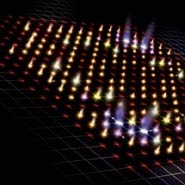
Graphic representation of a two-photon quantum walk. (University of Bristol)
Scientists from the University of Bristol’s Centre for Quantum Photonics have developed a silicon chip that could be used to perform complex calculations and simulations using quantum particles in the near future. The researchers believe that their device represents a new route to a quantum computer.
The technique developed in Bristol uses two identical photons moving along a network of circuits in a silicon chip to perform an experiment known as a quantum walk. Quantum walk experiments using one photon have been done before and can even be modelled exactly by classical wave physics. However, this is the first time a quantum walk has been performed with two particles and the implications are far-reaching.
It is widely believed that a quantum computer will not become a reality for at least another 25 years,” says Professor Jeremy O’Brien, Director of the Centre for Quantum Photonics. “However, we believe, using our new technique, a quantum computer could, in less than ten years, be performing calculations that are outside the capabilities of conventional computers.”

Friday, August 20, 2010

A New Kind of Microchip

Source:Technology Review
A probability-based processor may speed up flash memory, and eventually much more.

A computer chip that performs calculations using probabilities, instead of binary logic, could accelerate everything from online banking systems to the flash memory in smart phones and other gadgets.
Probability chip: This computer chip uses signals representing probabilities, not digital bits.
Credit: Lyric Semiconductor

Rewriting some fundamental features of computer chips, Lyric Semiconductor has unveiled its first "probability processor," a silicon chip that computes with electrical signals that represent chances, not digital 1s and 0s.
"We've essentially started from scratch," says Ben Vigoda, CEO and founder of the Boston-based startup. Vigoda's PhD thesis underpins the company's technology. Starting from scratch makes it possible to implement statistical calculations in a simpler, more power efficient way, he says.

And because that kind of math is at the core of many products, there are many potential applications. "To take one example, Amazon's recommendations to you are based on probability," says Vigoda. "Any time you buy [from] them, the fraud check on your credit card is also probability [based], and when they e-mail your confirmation, it passes through a spam filter that also uses probability."

All those examples involve comparing different data to find the most likely fit. Implementing the math needed to do this is simpler with a chip that works with probabilities, says Vigoda, allowing smaller chips to do the same job at a faster rate. A processor that dramatically speeds up such probability-based calculations could find all kinds of uses. But Lyric will face challenges in proving the reliability and scalability of its product, and in showing that it can be easily programmed.

The electrical signals inside Lyric's chips represent probabilities, instead of 1s and 0s. While the transistors of conventional chips are arranged into components called digital NAND gates, which can be used to implement all possible digital logic functions, those in a probability processor make building blocks known as Bayesian NAND gates. Bayesian probability is a field of mathematics named after the eighteenth century English statistician Thomas Bayes, who developed the early ideas on which it is based.

How to Type New Indian Rupee Symbol From Keyboard

Mangalore based Foradian Technologies Pvt Ltd has created a new font, “Rupee_Foradian” that lets you use the new Indian Currency Symbol.
Step1:Download the new font. Save it  .ttf file on your desktop.
Step2:Now go to the folder ‘C:/Windows/Fonts’ and paste the .ttf file there.
in MS office

in OpenOffice.org
Step3: Now, open a word file. Select “Rupee_Foradian” font from the dropdown list of font in your application(depends whether it is MS Office or Open Office.org).
Step4:Type the first character on the keyboard. It appears just above the ‘tab’ key on your keyboard. It will display the new rupee symbol. Enjoy it!

The Button On The Keyboard To Write The New Indian Currency Symbol

Tuesday, August 10, 2010

Computing at the Speed of Light

The world of computing could change rapidly in coming years thanks to technology that replaces the metal wiring between components with faster, more efficient fiber-optic links.
Seeing the light: A chip in the center of this circuit board contains four lasers that convert electrical signals into light pulses. The pulses travel at high speeds along a fiber-optic link.
Credit: Intel
"All communications over long distance are driven by lasers, but you've never had it inside devices," says Mario Paniccia, director of Intel's photonics lab in Santa Clara, CA. "Our new integrated optical link makes that possible."

Wednesday, May 5, 2010

Printing solar cell on paper no more big deal by MIT researchers


yeah u read it right-" Scientists at the Massachusetts Institute of Technology have successfully coated paper with a solar cell"
The technique, in which paper is coated with organic semiconductor material using a process similar to an inkjet printer, is a promising way to lower the weight of solar panels.
Stuff they used
carbon-based dyes and the cells are about 1.5 percent to 2 percent efficient at converting sunlight to electricity. But any material could be used if it can be deposited at room temperature
If 0.3 percent of the U.S. were covered with photovoltaics with 10 percent efficiency, solar power could produce three times the country's needs, including a transition to electric vehicles